编程笔记专栏
Sublime Text 3积累用法
- 选中Sublime text中的所有文本,然后ctrl k,然后ctrl u,可以把所有文本变成大写。类似的,变小写则是ctrl + k,然后ctrl + L。
简单运算
python中3//2,这个符号是整除,结果是1 (余1)
解包
{
bomb = ['BANG', 'BOOM','BAM', 'POW','POOF',' 'PAH']
print(*bomb)
}
这里*bomb是解包。即,如果直接print(bomb),,输出列表格式的bomb,也就是直接输出
['BANG', 'BOOM','BAM', 'POW','POOF',' 'PAH']
但是解包这样写的话,输出的会是BANG BOOM BAM POW POOF PAH
这个*的用法还可以用来捕获多余元素,如
first, *middle, last = [1, 2, 3, 4, 5]
print(first)   # 输出 1
print(middle)  # 输出 [2, 3, 4]
print(last)    # 输出 5
Python-积累的常识
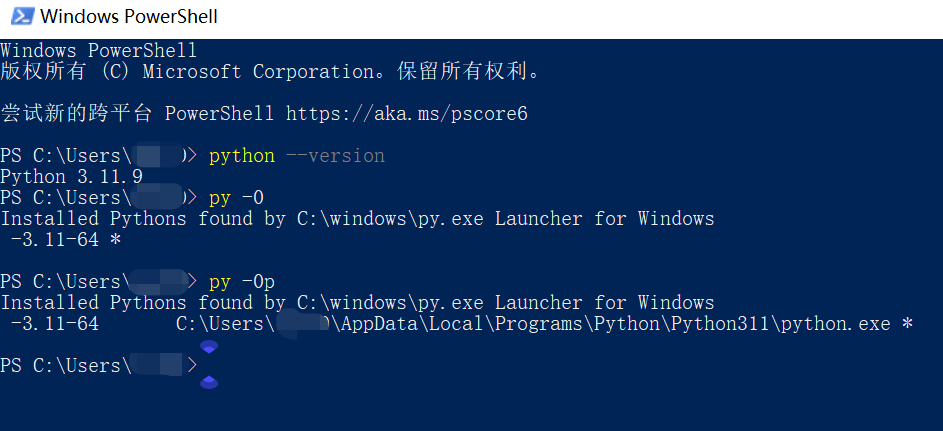
查看python版本
python --version: 会显示默认版本。
py -0: 会显示所有的版本。
py -0p: 会显示所有的版本加上路径。
同时用多个Python版本
因为有一些新版本的包不齐全,所以有时候会装不同的版本。例中既装了3.10又装了3.9,且是先配置的10,后配置的9。
那么就要进入安装路径,把python39文件夹下的python.exe改名为python3.9.exe(同时你在sublime text3中的配置也要相应改掉它的名字)
之后命令行中所有python的指令都改成python3.9(反正你把程序名改成啥了就叫啥),就可以正常使用了。比如用pip,装python39要用的库的话,在命令行直接python3.9 -m pip install --upgrade就好。
如果是用默认的版本,比如你要用3.10装库,那可以省掉版本部分,直接在命令行打pip install --upgrade
pip与模块
每次装Python自觉提前先装上pip, Pywin
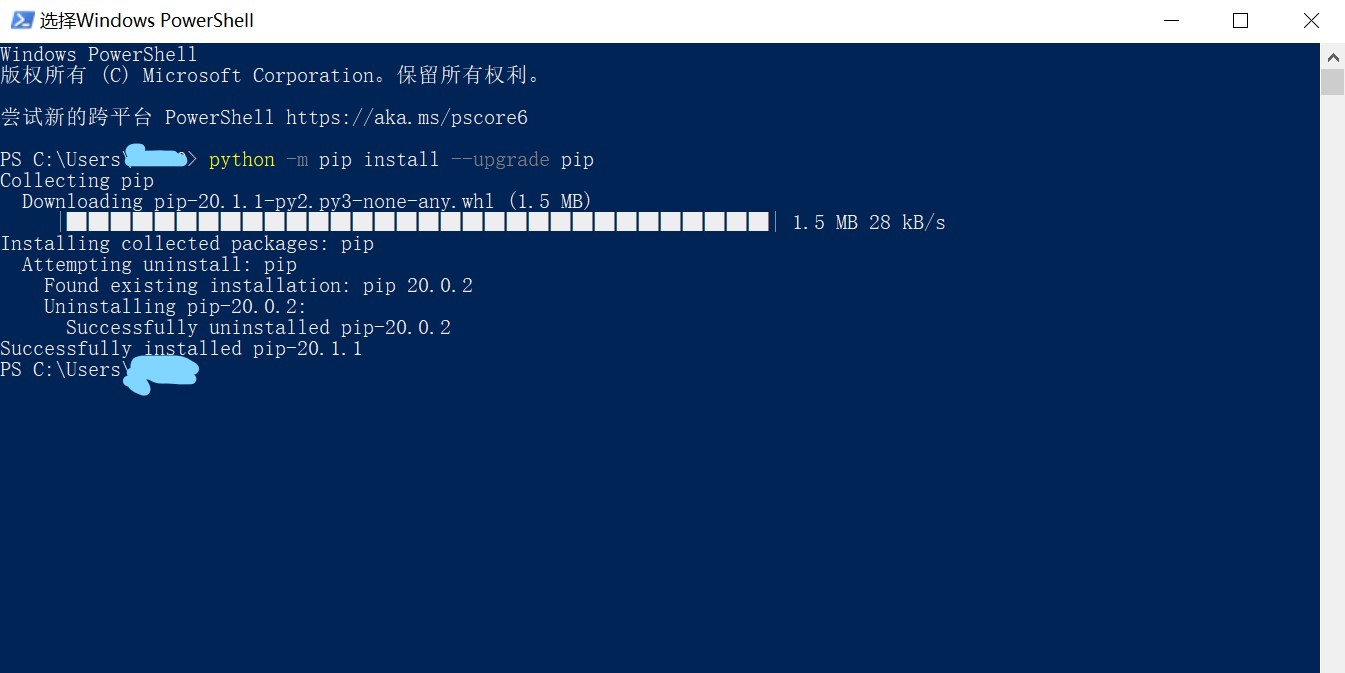
如何更新pip:
python -m pip install --upgrade pip
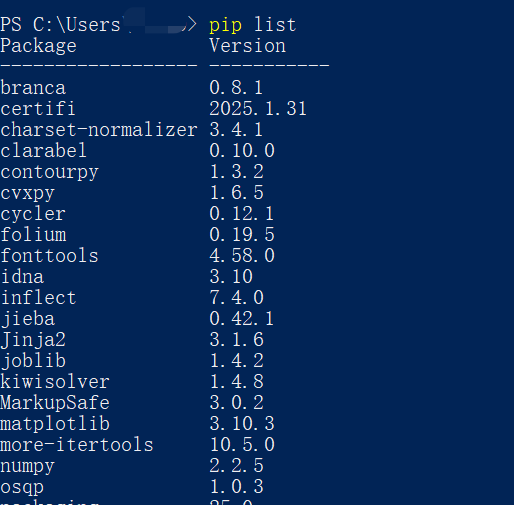
查看已安装了哪些模块:
pip list
如何安装模块
-
离线安装
-
在线安装:直接
pip install 模块名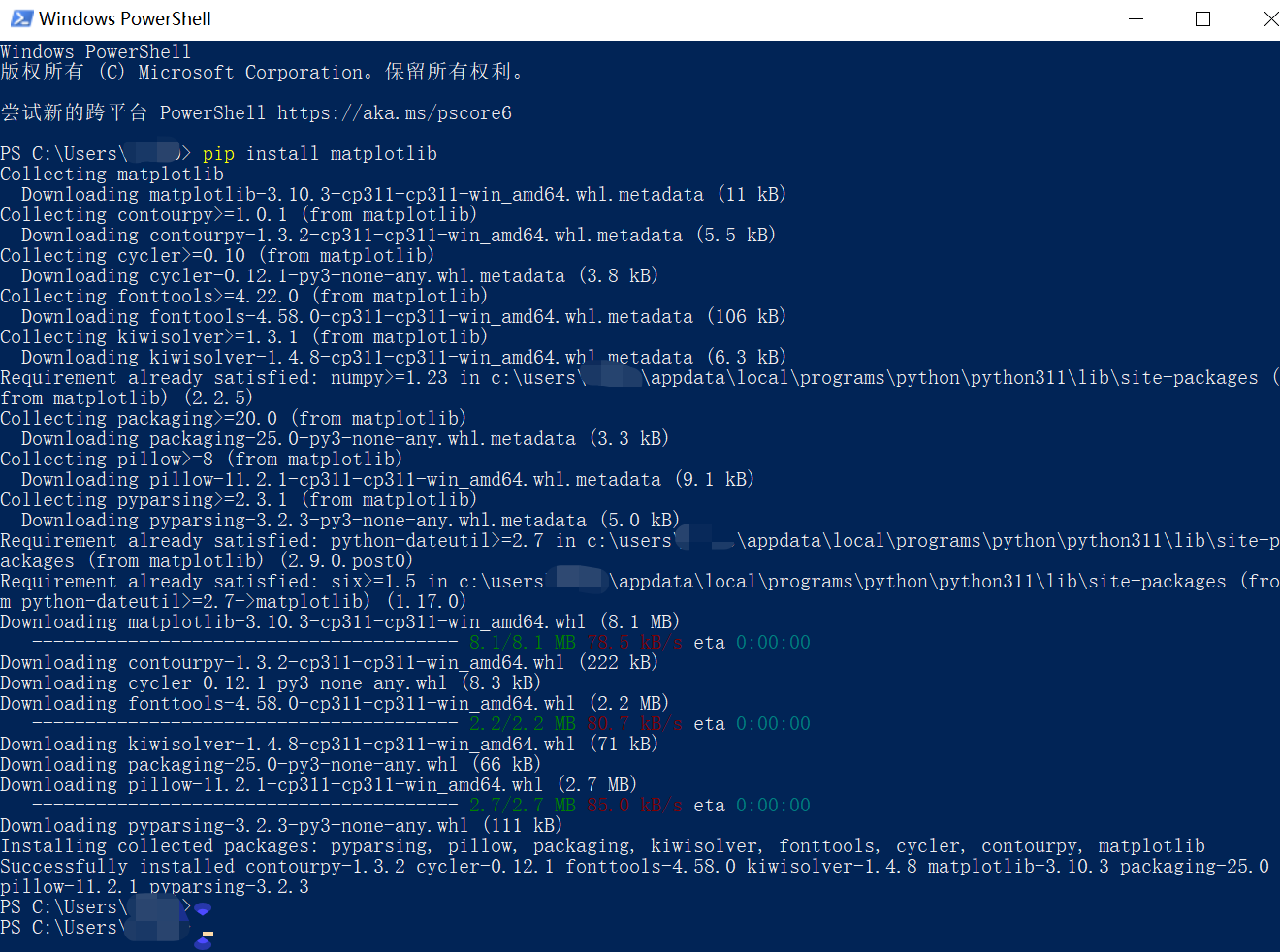
如何从命令行查看库文档
python -m pydoc -p 0: 然后会得到一个网址,从浏览器进去即可
pip  [options]
Commands:
      install                     Install packages.
      download                    Download packages.
      uninstall                   Uninstall packages.
      freeze                      Output installed packages in requirements format.
      list                        List installed packages.
      show                        Show information about installed packages.
      check                       Verify installed packages have compatible dependencies.
      config                      Manage local and global configuration.
      search                      Search PyPI for packages.
      cache                       Inspect and manage pip's wheel cache.
      index                       Inspect information available from package indexes.
      wheel                       Build wheels from your requirements.
      hash                        Compute hashes of package archives.
      completion                  A helper command used for command completion.
      debug                       Show information useful for debugging.
      help                        Show help for commands.

General Options:
      -h, --help                  Show help.
      --debug                     Let unhandled exceptions propagate outside the main subroutine, instead of logging them to stderr.
      --isolated                  Run pip in an isolated mode, ignoring environment variables and user configuration.
      -v, --verbose               Give more output. Option is additive, and can be used up to 3 times.
      -V, --version               Show version and exit.
      -q, --quiet                 Give less output. Option is additive, and can be used up to 3 times (corresponding to WARNING, ERROR, and CRITICAL logging levels).
      --log                 Path to a verbose appending log.
      --no-input                  Disable prompting for input.
      --proxy              Specify a proxy in the form [user:passwd@]proxy.server:port.
      --retries          Maximum number of retries each connection should attempt (default 5 times).
      --timeout              Set the socket timeout (default 15 seconds).
      --exists-action     Default action when a path already exists: (s)witch, (i)gnore, (w)ipe, (b)ackup, (a)bort.
      --trusted-host    Mark this host or host:port pair as trusted, even though it does not have valid or any HTTPS.
      --cert                Path to PEM-encoded CA certificate bundle. If provided, overrides the default. See 'SSL Certificate Verification' in pip documentation for  more information.
      --client-cert         Path to SSL client certificate, a single file containing the private key and the certificate in PEM format.
      --cache-dir            Store the cache data in .
      --no-cache-dir              Disable the cache.
      --disable-pip-version-check                            Don't periodically check PyPI to determine whether a new version of pip is available for download. Implied with --no-index.
      --no-color                  Suppress colored output.
      --no-python-version-warning               Silence deprecation warnings for upcoming unsupported Pythons.
      --use-feature      Enable new functionality, that may be backward incompatible.
      --use-deprecated   Enable deprecated functionality, that will be removed in the future.